 Magpie
Paste anything. Move it around. Delete without guilt.
Magpie is a markdown canvas that lives in your browser. Specs, snippets, screenshots and diagrams sit side by side, stay on your device, and open with no signal.
Free. No signup to start. Local canvases stay in this browser; cloud is opt-in, per canvas.
Good stuff gets lost in scrollback.
Plans, specs and summaries end up buried in terminal history, chat threads and files you never open again. Magpie gives them one place to sit side by side, and makes it easy to clear them away when you’re done.
The canvas
Drag it, edit it, draw next to it.
Pasted by you or pushed by a tool, everything is a block, and every block is yours to rearrange.
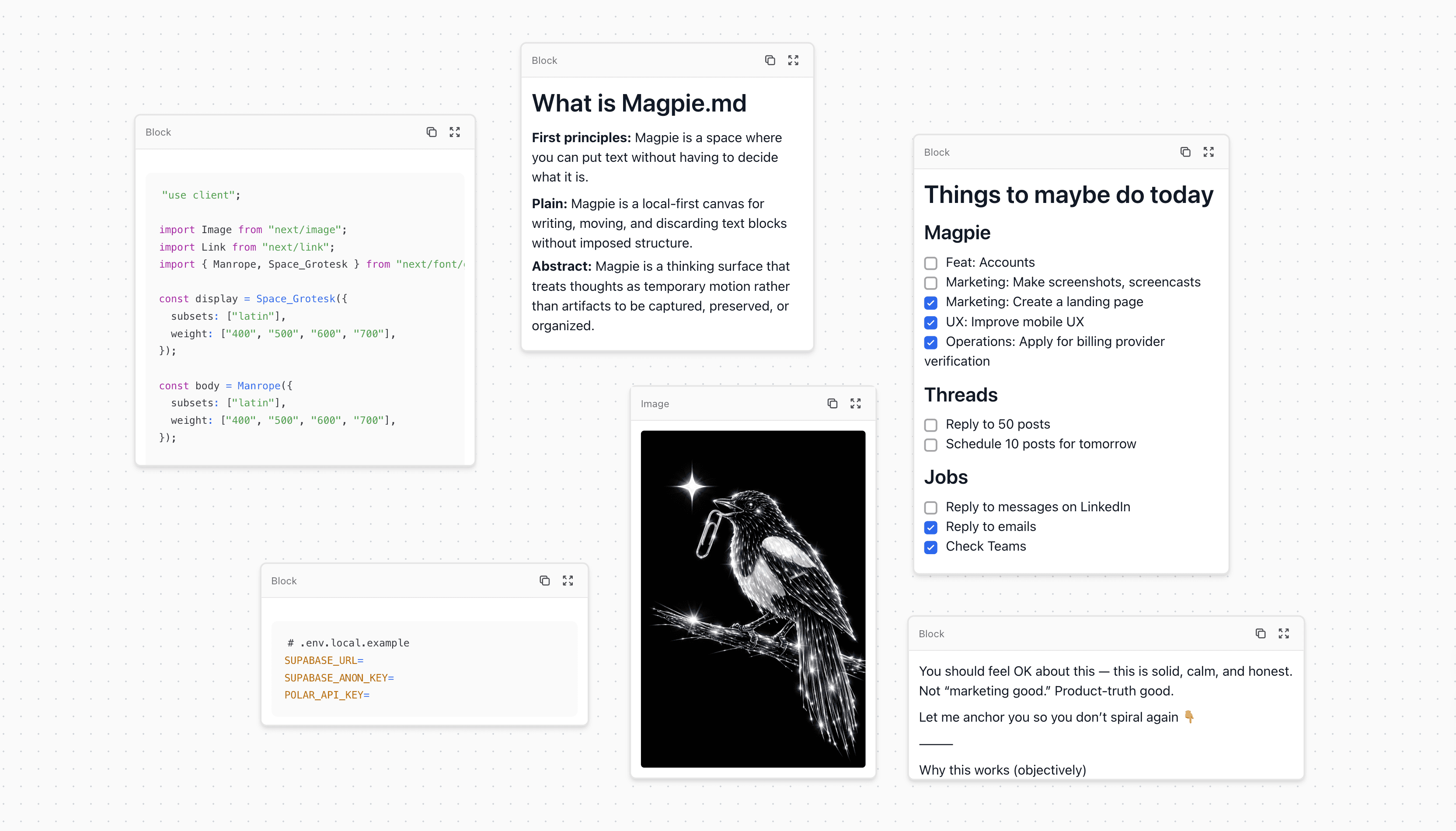
Side by side, not stacked
Put things wherever you want and zoom out to see the whole picture at once.
Paste to create
Paste text, markdown, code or a screenshot and it becomes a block. Code is fenced for you.
Markdown
Headings, tables, links, and checklists you can actually tick.
Code
Syntax highlighting in light and dark.
Mermaid diagrams
Drop in a mermaid block and get a real diagram.
Drawing
Sketch an arrow or a quick idea right next to your notes.
Folders
Group canvases into folders, on this device or in the cloud.
Optional cloud sync
Sign in with a code from your inbox, and any canvas you move to the cloud follows you between devices.
End-to-end encryption, per canvas
Lock any cloud canvas with a passphrase. It's encrypted before it leaves your browser.
Installable, works offline
Add it to your home screen or dock. It opens fine on a plane.
Export and import
Save a canvas, images included, as one .magpiejson file and import it into Magpie on any device.
Push from your tools
Connect an MCP client with a personal token and send docs straight to a cloud canvas.
Cloud
Optional cloud, for when one device isn’t enough.
Sign in with a code from your inbox (no password to remember) and any canvas you move to the cloud can follow you from your laptop to your phone.
On every device
Start a canvas on your laptop and it's there on your phone. No exporting, no emailing yourself.
Encrypted, if you like
Pick per canvas: plain text that syncs and accepts pushes, or locked with a passphrase only you know.
Still there offline
Each device keeps its own copy, so your cloud canvases open in a tunnel or at 30,000 feet.
Stored in Paris
Cloud canvases are stored in Paris. Want your account gone? Email us and it's deleted.
Push from your tools
Your tools can drop things in, too.
- 1
Connect once
Sign in, grab a token in Magpie's settings, and add Magpie to your MCP client. One command, or a few lines of config.
- 2
Ask for it
Say “push this plan to Magpie”. The whole thing lands in your Inbox canvas, tables, code and diagrams included.
- 3
Open it on your phone
Sign in on your phone too. After the first sync your cloud canvases are saved on the device, so they open with no signal.
Works with MCP clients that take a personal token. Tested with Claude Code and Claude Desktop. Codex CLI and Cursor configs are documented but not yet tested with a real push. Chat apps that only accept OAuth connectors can’t connect yet.
Set up MCP pushLocal-first
Your notes stay yours.
No account, no upload.
Local canvases live in your browser. Their content never reaches our servers, and you don’t need an account.
Locked canvases stay unreadable to us.
Lock a cloud canvas and its contents reach us only as ciphertext. We can’t read them or reset your passphrase. Names and dates stay visible, so keep secrets out of titles.
No ads. No trackers.
We count visits and clicks in our own database, without cookies, and don’t look at your canvases. See exactly what we collect.
Questions
Do I need an account?
Not for the canvas. Open it and start pasting. You need an account (email code, no password) for cloud sync and for pushes from your tools, because pushes land in your cloud canvases.
Can you read my notes?
Local canvases never leave your device. For each cloud canvas you choose: plain text, which we can read and which can sync and receive pushes, or end-to-end encrypted with a passphrase, where we only hold ciphertext. If you forget the passphrase, we can't recover the canvas.
Which tools can push to Magpie?
MCP clients that connect over HTTP with a personal token, such as Claude Code, or Claude Desktop through mcp-remote. Chat apps that only accept OAuth connectors on the web or on phones aren't supported yet. You can read what was pushed on any device where you're signed in.
What does it cost?
Nothing. Magpie is free, cloud sync included. No card, no trial.
Can I get my data out?
Yes. Export any canvas, images included, as a .magpiejson file, and import it back whenever you like.
Paste something in and see.
It takes ten seconds and you don’t need an account. Hook up your tools whenever you’re ready.